
Cut detection for VFX shot prep
Stop cutting up reference clips by hand
CutDetectorPro finds the cuts in your video for you, makes the last few misses easy to fix, reads shot names straight off the burn-in, and hands you a clean shot list.
Cut detection powered by Brandon Castellano's PySceneDetect
Shot prep shouldn't eat your day
You get a string-out for a bid, or an offline edit at turnover, as one long movie file. Somebody now has to find every cut, name every shot and type it all into a spreadsheet. That's hours of scrubbing, and one missed cut can ripple through the whole schedule.
Detect. Review. Export.
Three steps from a single movie file to a shot list you can trust.
-
Detect
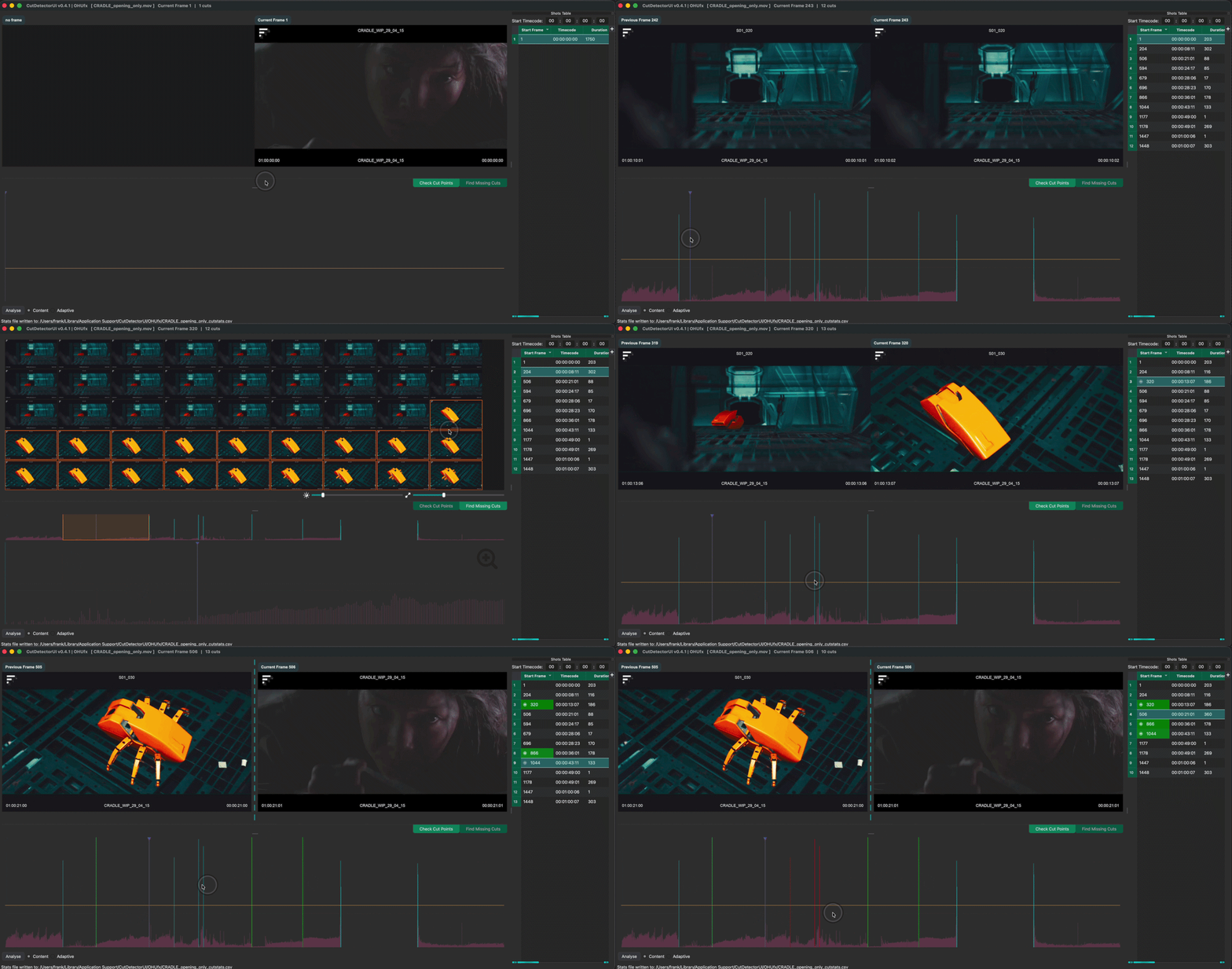
Drop in a clip and press Enter. CutDetectorPro analyses every frame and draws a spike graph of the changes. Drag the threshold line to decide which spikes count as cuts.
-
Review
Step through the cuts with the split viewer, and spot missed ones in the contact sheet. Add or delete a cut with one keypress, and your edits survive threshold changes.
-
Export
Send the finished shot list to editorial, a PDF or Excel report, sub-clips and thumbnails, Flow Production Tracking (ShotGrid) or straight into Hiero.
From "Clip In" to "Shots Out"
-
Automatic cut detection
Two detectors to pick from. Content-aware for regular cuts, adaptive for footage with fast camera moves.
-
A threshold you can drag
See every frame-to-frame change as a spike. Move the line and the shots table updates instantly.
-
Find missing cuts by eye
The contact sheet shows every frame of a shot at once. Spot the missed cut, click it, press C.
-
Read the burn-in (OCR)
Draw a box around a shot name, timecode or note. The text lands in your shots table.
-
Clean up the text
Search and replace, or split
S01_010into a sequence columnS01and a shot column010, so names match your pipeline. -
Analyse just a part of a clip
Set in and out points and skip the rest. Great for long reels and quick threshold tests.
-
Analyse once, reopen instantly
Results are remembered per clip. Save a portable
.cduiproject with all your manual edits. -
Exports for every destination
Editorial (otio, edl, aaf, xml, csv), PDF and Excel reports, mp4 sub-clips, jpg thumbnails, or a paste straight into Flow Production Tracking.
-
Works inside Hiero
Right-click a clip in the bin, or a track item on the timeline, and get soft cuts back without exporting anything.
See it in action
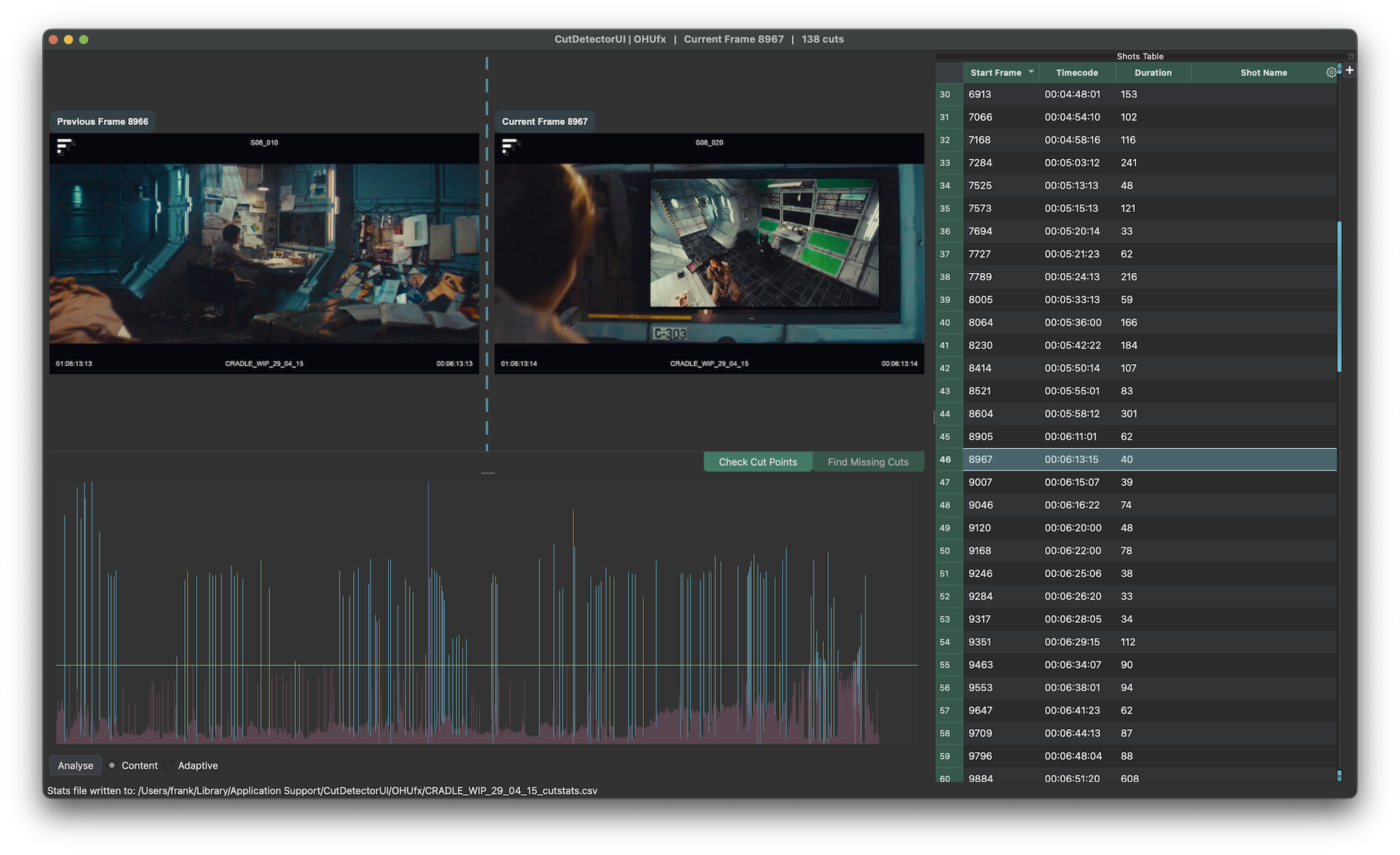
Dual viewer on top, spike graph below, shots table on the right. Every spike above the yellow threshold line becomes a cut, and shows up in the table straight away.
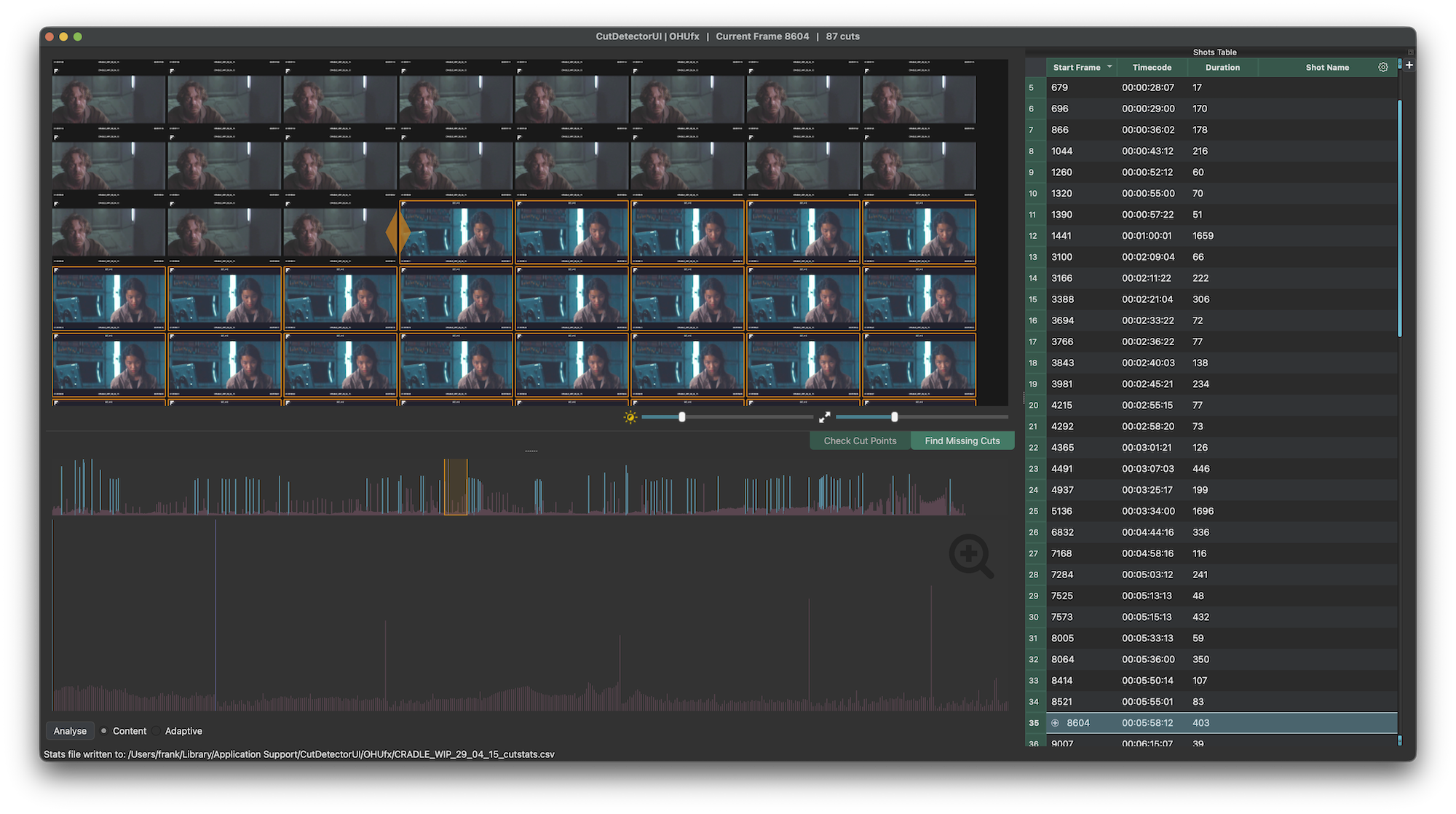
The contact sheet shows all frames of the current shot. Missed a cut? Click the first frame of the new shot and press C.
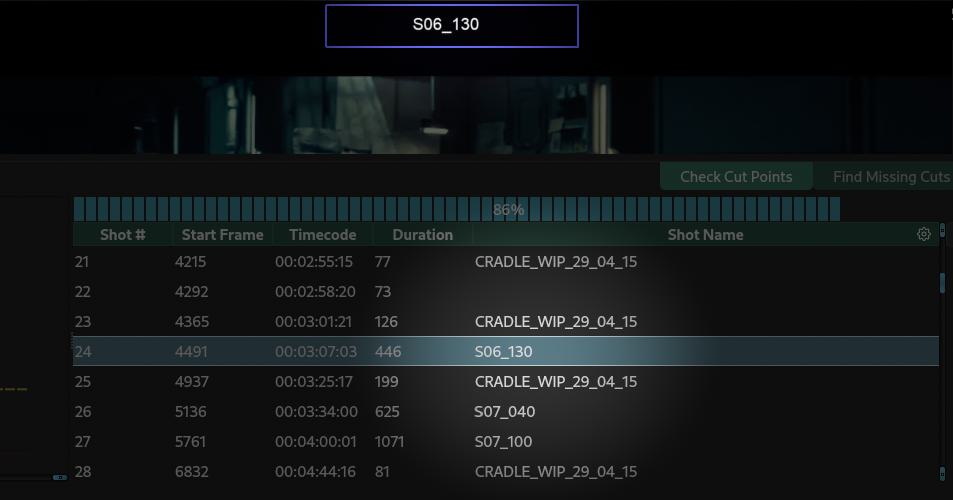
Hold Ctrl (Cmd on macOS), draw a box around the burn-in and send the text to a column of your choice.
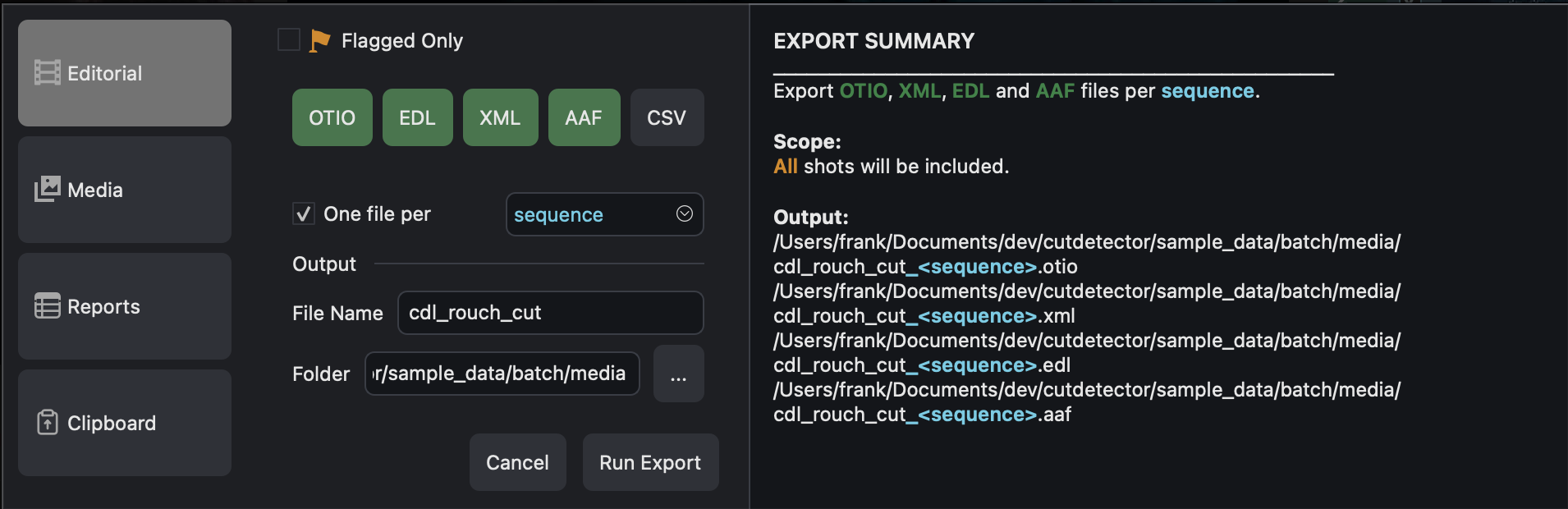
Export only the flagged shots, bundle files per sequence and write several formats in one go.
- Editorial: otio, edl, aaf, xml, csv
- Reports: PDF and Excel with thumbnails
- Media: mp4 sub-clips and jpg thumbnails
- Clipboard: ready to paste into Flow Production Tracking (ShotGrid)
Questions people ask
Which platforms does it run on?
macOS, Windows and Linux. CutDetectorPro is a standalone app, so there's nothing to install: run it from wherever you downloaded it.
Which video formats can it open?
CutDetectorPro reads video through PySceneDetect and OpenCV, so it opens the common formats such as .mov, .mp4, .mkv and .avi. See Import & Sessions.
What does it cost?
CutDetectorPro is currently in beta, and the beta license is free. Join our Discord to get a key. You can also try the app without one: in demo mode everything works except the export features. See Install & Activate for the details.
Do I need to install anything else?
On most systems, no. Tesseract (for text extraction) and ffmpeg (for exporting sub-clips) come with the app. On the few systems they don't, you can install them yourself. Cut detection, review and all other exports never need either.
Do I have to re-analyse a clip every time I open it?
No. The analysis is saved per clip, and CutDetectorPro offers to reuse it next time. If you save a .cdui project it includes the analysis
and all of your manual edits, so it opens instantly and you can send it to a colleague.
My clip is really long. Can I analyse just a section?
Yes. Set an in and an out point and only that range is analysed. See Sub-range analysis.
I found a bug, or I'm missing a feature
Tell us on Discord, or use Help → Report Issues... inside the app.
Ready to stop scrubbing?
Download the app, drop in a clip and press Enter.