Host Integrations
CutDetectorPro can be launched straight from inside several other applications ("hosts"): pick a clip there, and CutDetectorPro opens with it already loaded. When you're done, Send to \<host> hands the shots back and the host does the cutting.
CutDetectorPro always runs as its own process; nothing of it loads into the host.
Using Hiero or Nuke Studio?
Hiero has the deepest integration (bin items and track items, sub-ranges from in/out points) and its own page: see Hiero.
Supported hosts
-
Launched from a Read node. Send to Nuke adds a
TimeClipper shot, plus anAppendClipthat plays them in order. -
DaVinci Resolve (Studio only)
Launched from a clip in the Media Pool. Send to Resolve builds a new timeline with the clip's picture and sound, cut up.
-
Launched from a clip in the Media Panel. Send to Flame duplicates the clip and cuts the copy.
-
Launched from media or a timeline clip. Send to xStudio builds a new timeline, or cuts the timeline clip itself.
-
Launched from a movie strip in the Video Sequencer. Send to Blender cuts the strip in place, with its sound.
-
Launched from Project Media or a timeline event. Send to Vegas cuts up a new video track, or the event itself.
Each one needs a one-time setup step inside the host, below. Custom columns and OCR text travel with the shots to every host that has somewhere to put them (a node's metadata, a marker, a clip property...).
Nuke
Point NUKE_PATH at the plugin before starting Nuke:
This adds Cut Detector to the node graph's right-click menu. Select a Read node and choose it to load the clip into CutDetectorPro — if the Read node's frame range is trimmed, only that range is analysed.
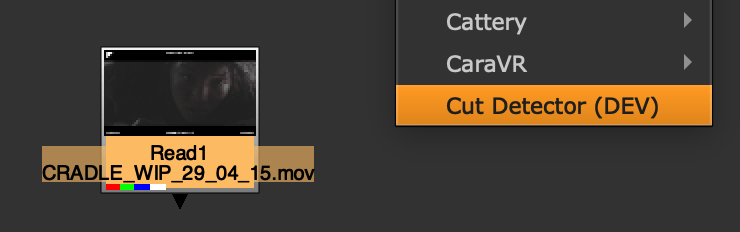
Send to Nuke adds, below the Read node:
- a TimeClip per shot, named after the shot
- a ModifyMetaData node under a shot that has values in custom columns, stored as
cutdetectorpro/<column name> - an AppendClip that plays all the shots in order
Every send adds a fresh set of nodes, as one undo step.
DaVinci Resolve
Requires DaVinci Resolve Studio
The free version of Resolve can't run scripts, so the plugin needs the Studio edition, plus Python 3.7 or later installed for Resolve's scripting.
Install the menu script once (and again if the CutDetectorPro folder moves):
Restart Resolve, select a clip in the Media Pool and choose Workspace → Scripts → CutDetectorPro. In/out marks on the clip limit the analysis to that range.
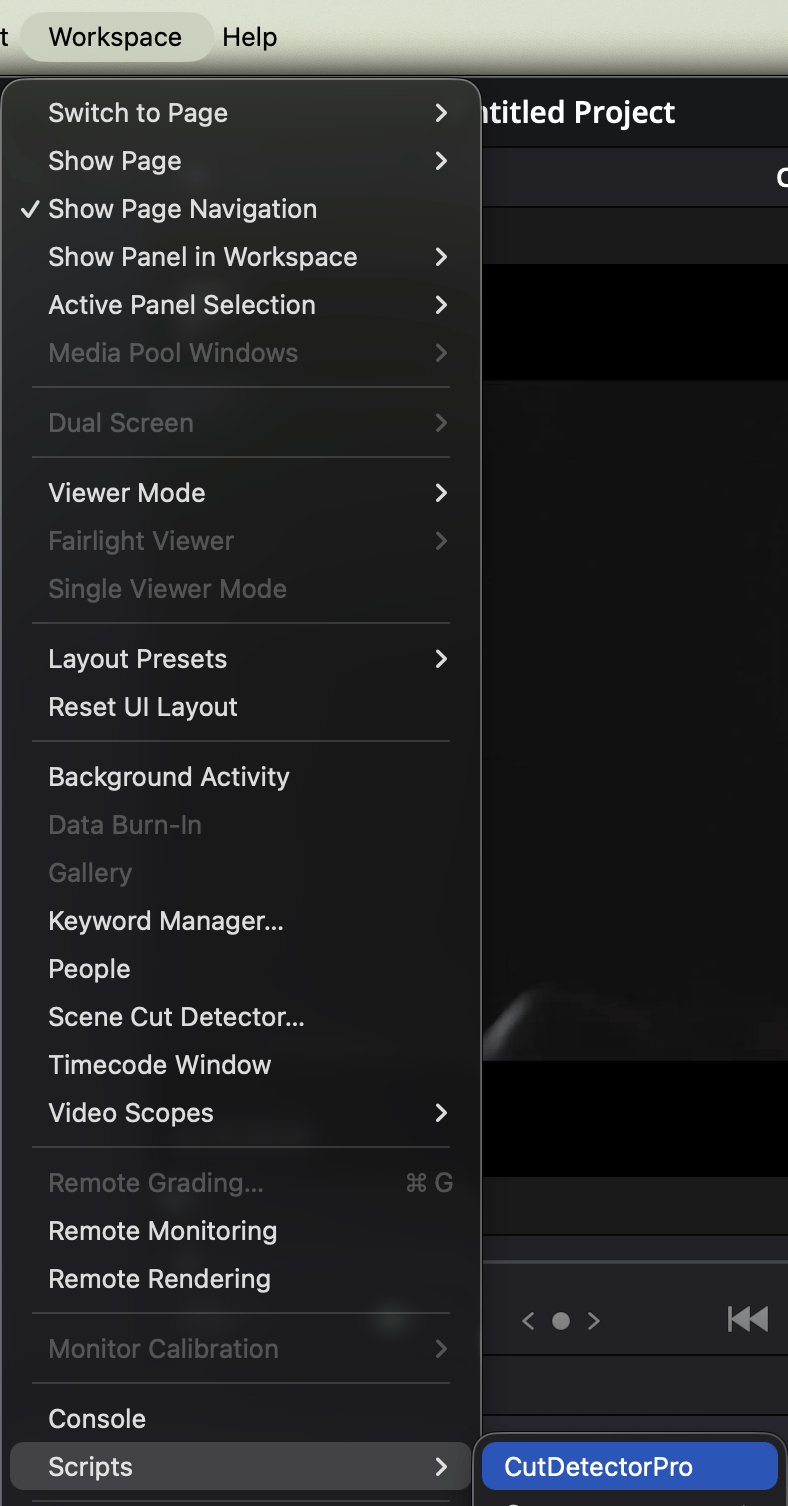
Send to Resolve builds a new timeline from the shots in the same Media Pool folder as the clip. If the clip has sound, it's added on matching audio tracks, cut and linked to each shot's picture. Named shots get a marker carrying the name and any custom column values. Every send creates a new timeline.
Remove the menu script with python3 install.py --uninstall.
Flame
Set the hook path before starting Flame:
This adds CutDetectorPro → Cut Detector to the Media Panel's right-click menu. Select one or more clips (single media files that haven't been cut yet) and choose it. A trimmed clip only has its visible range analysed.
Send to Flame duplicates the clip as <clip name>_cutdetect and cuts the copy into shots, leaving the
original alone. Each piece is named after its shot, and custom column values go into the segment's comment.
Every send makes a fresh copy.
xSTUDIO
Add the plugin folder to xSTUDIO's Python plugin search paths — in Preferences → Python → Python Plugins Search Paths, or in the environment before starting it:
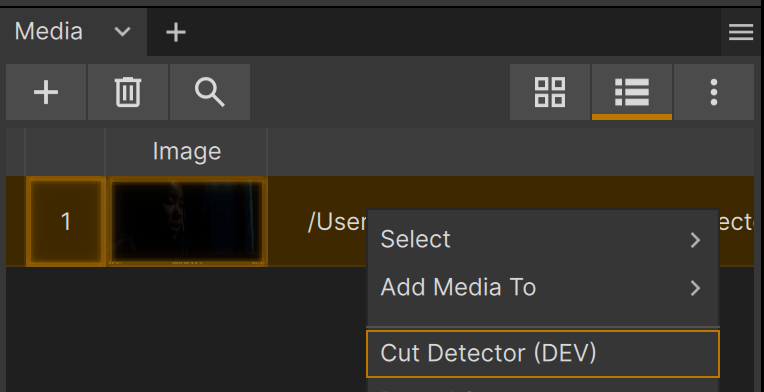
This adds Cut Detector to the right-click menu of the media list and of timeline clips (single movie files, not image sequences):
- From the media list: loads the clip (just its loop range, if the viewer has one set). Send to xStudio
creates a new timeline called
CutDetectorProin the clip's playlist, cut into shots, with sound on a matching audio track. - From a timeline clip: analyses the part of the file that clip shows. Send to xStudio cuts that clip (and its linked sound) in place. Sending again adds any new cuts and updates names/values; cuts already made are never removed.
Custom column values land in the clip's properties under cutdetectorpro.
No file dialog in xSTUDIO
If CutDetectorPro isn't found next to the plugins folder, set CDP_APP_PATH to its executable before starting xSTUDIO.
Blender
Needs Blender 5.0 or later
Written for Blender 5.2. The add-on is published under the GPL v3 (or later) — see Writing a Custom Plugin for why.
Install it one of two ways:
Edit → Preferences → Get Extensions → Install from Disk, pick
plugins/blender/cutdetectorpro_blender.zip. Blender copies the add-on into its own folders, so open it
under Edit → Preferences → Add-ons afterwards and point it at the CutDetectorPro executable.
This adds Cut Detector to the Strip menu and to the Video Sequencer's right-click menu. Select a movie strip (a single file on disk, not retimed or reversed) and choose it — a trimmed strip only analyses the part it shows.
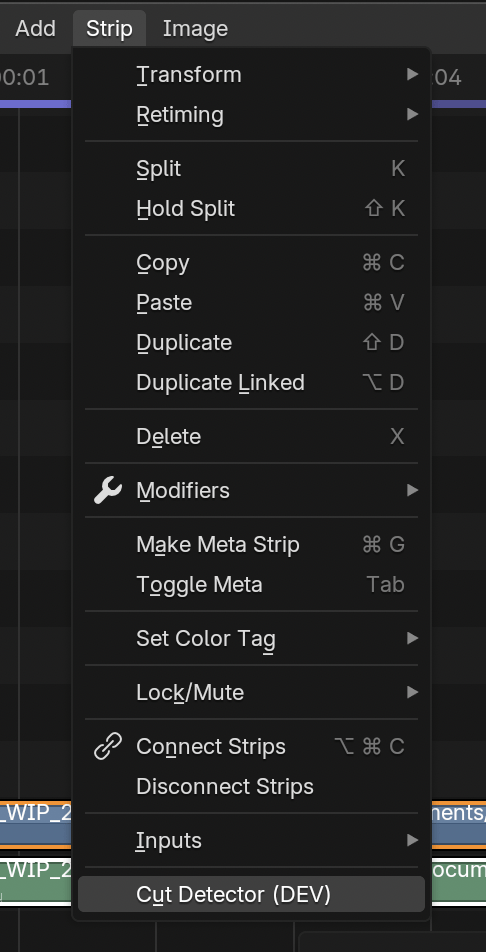
Send to Blender cuts the strip in place, along with any sound strip connected to it, same as splitting it
by hand. Custom column values are stored on each piece as a cutdetectorpro custom property. Sending again
adds new cuts and updates names/values; existing cuts stay. Every send is one undo step.
Leave the strip where it is
While CutDetectorPro is open, the pieces are found again by their scene, channel and position — don't move the strip in the meantime.
Vegas Pro
Vegas freezes while CutDetectorPro is open
Vegas has no way to hand control back to a script while the window is open, so Send to Vegas cuts the item and closes CutDetectorPro for you right after the first send.
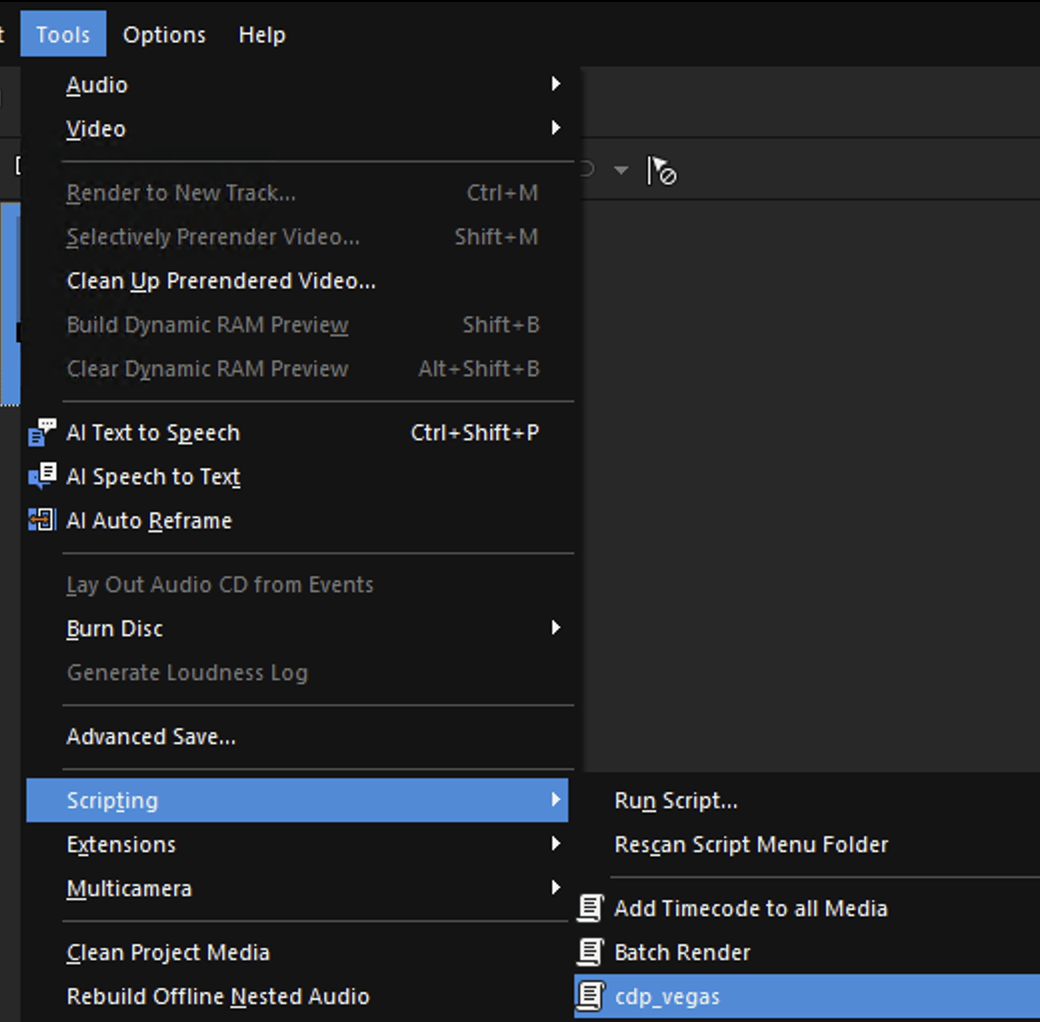
A plain-text script, not an installed extension. Open Tools → Scripting → Run Script... and browse to
plugins/vegas/cdp_vegas.cs (keep cdp_vegas.cs.config next to it), or copy both into Vegas's own Script
Menu folder to get a permanent entry under Tools → Scripting.
Select either an item in the Project Media panel or a single video event on the timeline, then run the script. From Project Media, the whole clip is placed on a new video track; from the timeline, the selected event is used directly.
Running the script again on an already-cut target is safe: only cuts that aren't already a piece boundary get split, and a piece's name and custom column values only change where they differ. The event's playback rate has to be 1.0, and a connected audio event is not split automatically.
The first time, locate the app via the CDP_APP_PATH environment variable, a file picker (whose answer is
saved for next time), or a previously saved path.
Writing your own
Got a host that isn't on this list, or want different behaviour from one above? The plugins are built on a small shared package and are yours to copy and extend.